Academy / Pools and investors
Create a pool
A pool uses one legal entity as the fund vehicle. Create the entity first if you do not have one yet.
Steps
- Open Capital in the sidebar.
- In the New pool card, enter a pool name and select an entity. An entity can back only one pool.
- Choose an ownership method. Contributed capital is the default. See How ownership is calculated.
- Choose Create pool.
What you see next
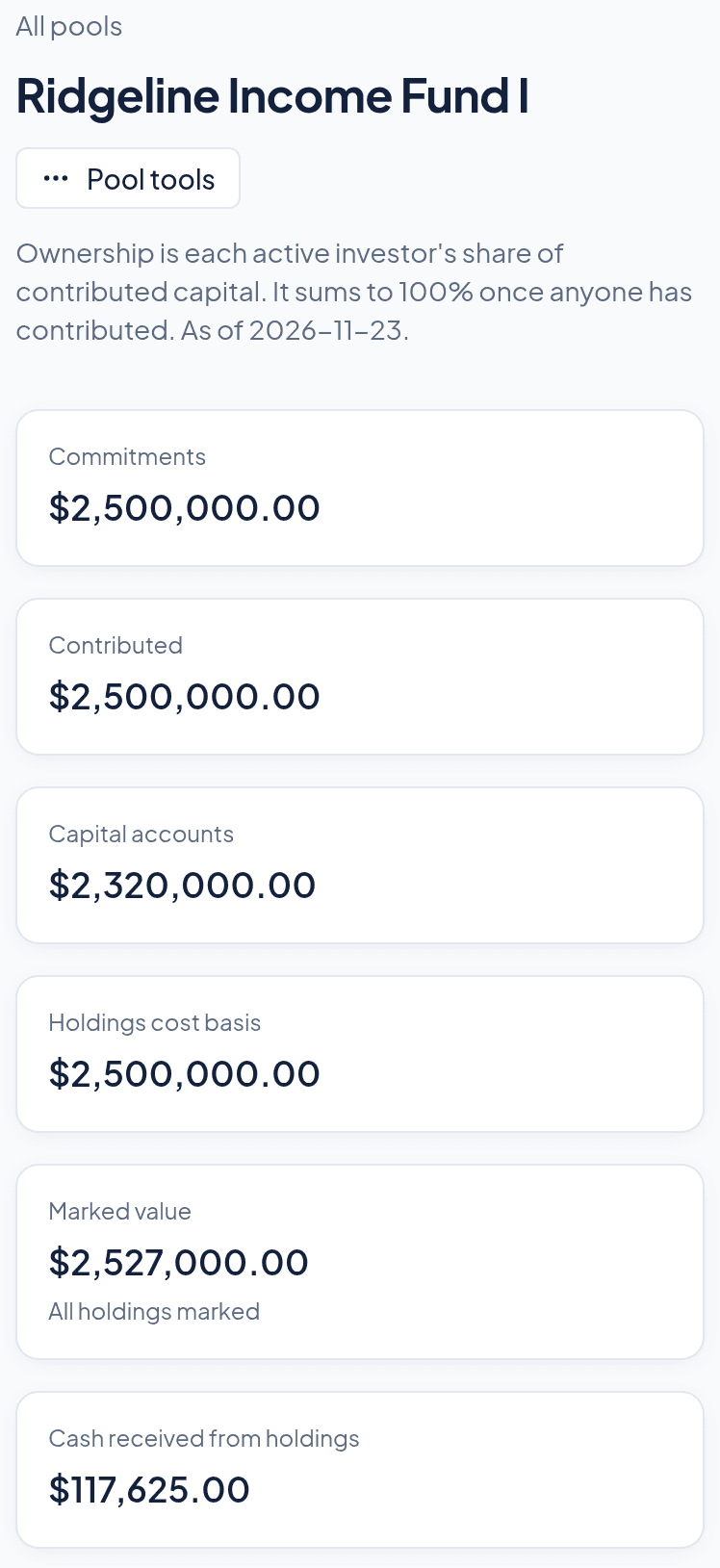
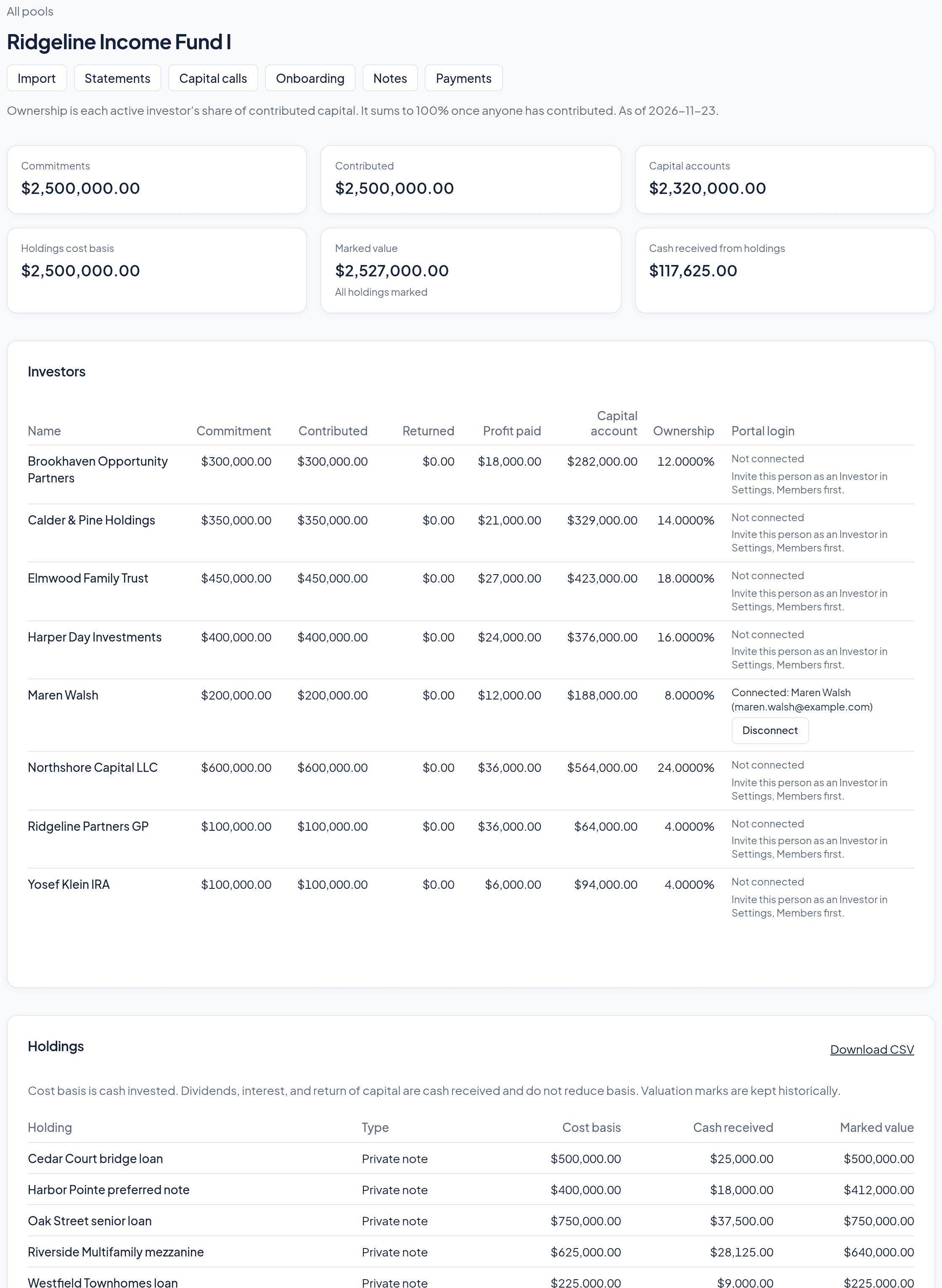
The pool page shows commitments, contributions, capital accounts, an investor table, and holdings. If the pool holds private notes, a link opens the Notes page. See Track the pool's own notes.
AssetFlow is software. It is not a lender, loan servicer, investment adviser, broker, custodian, or money transmitter, and it never holds or moves money. Nothing here is tax, legal, or investment advice.