Academy / Distributions
Preview and post a distribution
Previews are not saved. Posting is the step that writes ledger entries and updates capital accounts.
Steps
- Open the pool. For a waterfall pool use the waterfall distribution form. Otherwise use the Distribution form and choose Profit or Return of capital.
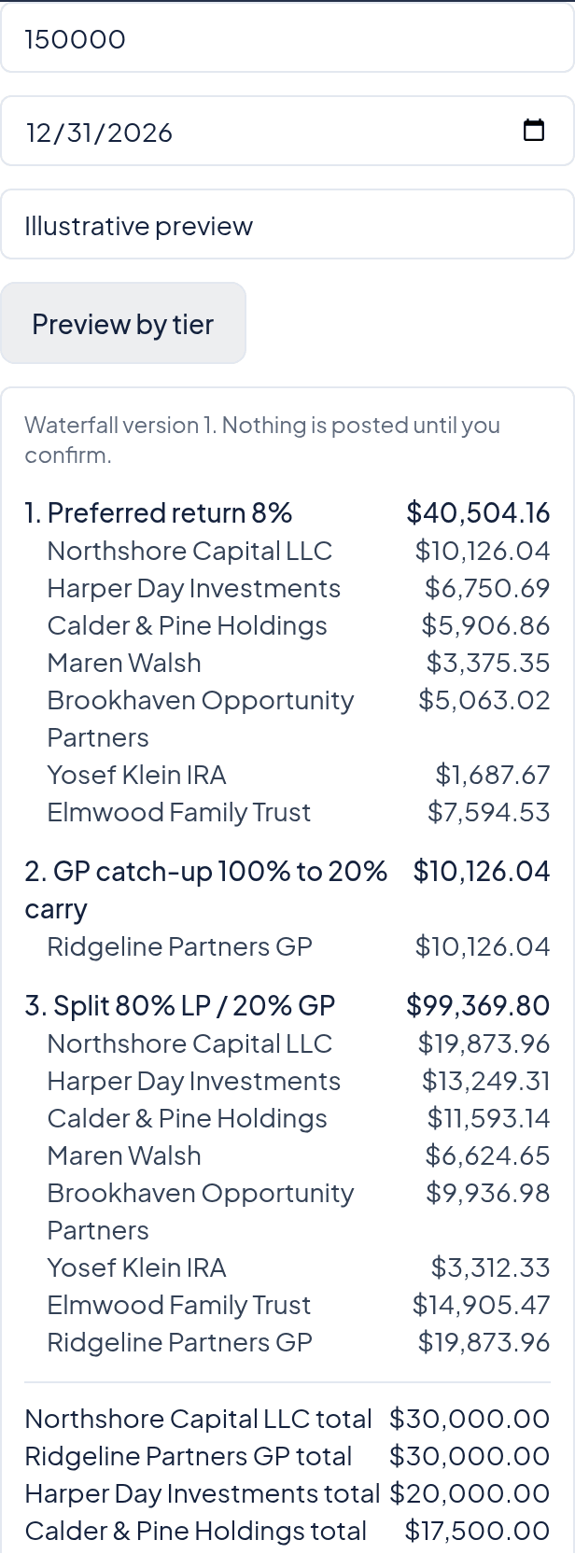
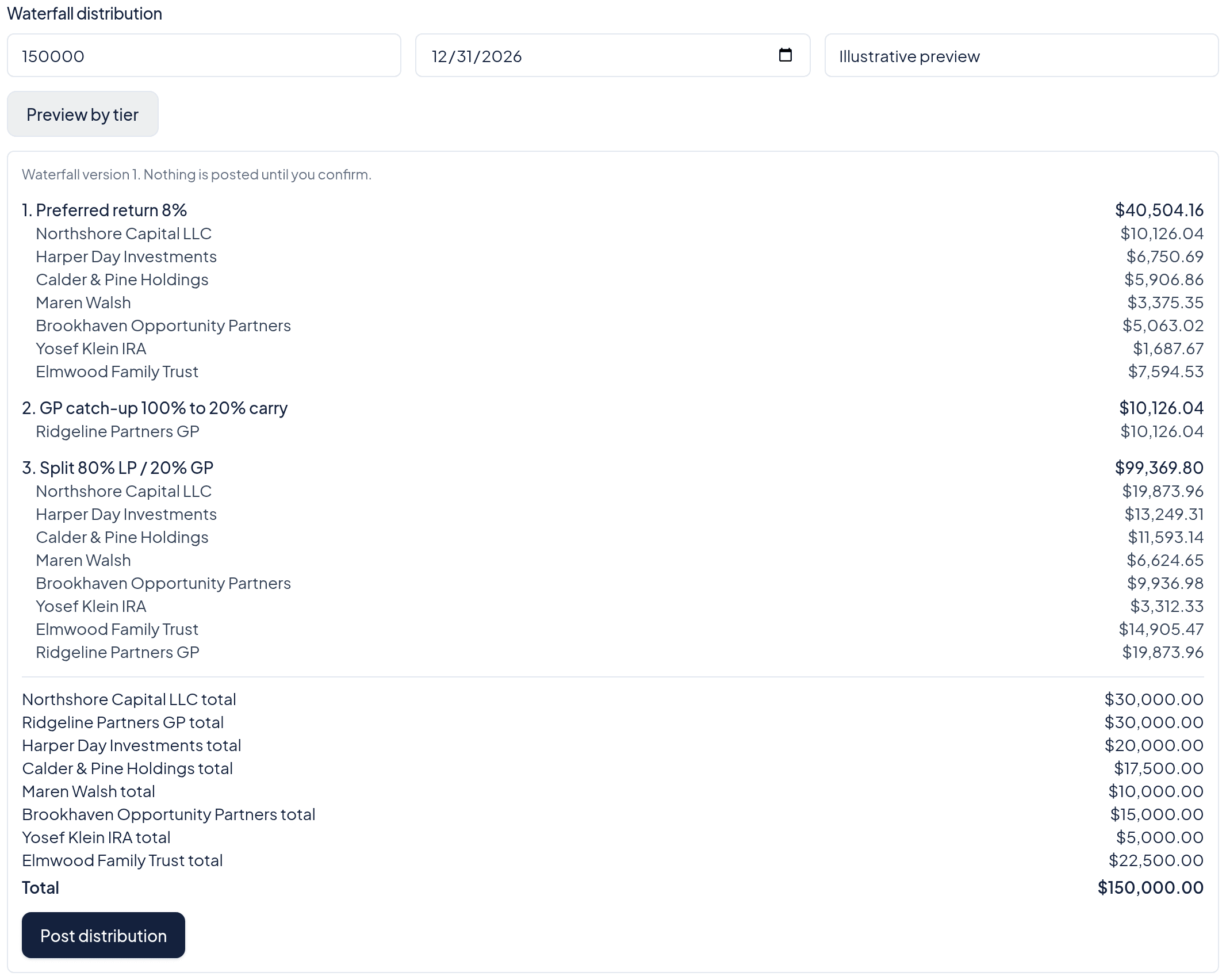
- Enter the total dollars to distribute, the date, and an optional memo.
- Choose Preview split (pro-rata) or Preview by tier (waterfall). Check each investor's amount.
- If it is right, choose Post distribution. If not, change the inputs and preview again.
What posting does
Posting writes capital ledger entries for each investor and updates their capital accounts.
It does not send money. To pay investors, see the Payments guides.
Example
The sample pool posted $180,000 on 2026-10-15 with the memo Q3 2026 income distribution. Afterward, capital accounts total $2,320,000. Maren Walsh received $12,000 of profit and her capital account is $188,000.
AssetFlow is software. It is not a lender, loan servicer, investment adviser, broker, custodian, or money transmitter, and it never holds or moves money. Nothing here is tax, legal, or investment advice.