Academy / Distributions
Configure the waterfall
A pool distributes either pro-rata by ownership or through a waterfall. Saving a waterfall switches the pool to waterfall distributions.
Pro-rata or waterfall
Pro-rata splits each distribution by ownership and lets you label it Profit or Return of capital. Use it when the agreement has no tiers.
A waterfall pays in order. The tiers are return of capital, preferred return, catch-up, and split. Each tier is optional except the final split.
Set it up
Saving again creates a new version. Past distributions keep the version they used.
- Open the pool and find Distribution waterfall.
- Choose the GP investor, or No GP / carry if there is none.
- Leave Return of capital first checked if investors get their capital back before profit is shared.
- Enter a preferred return percent. Choose Simple or Compounded monthly, and Actual/365 or 30/360 day counting.
- Enter a GP catch-up percent and the carried interest percent it catches up to, if your agreement has one.
- Enter the final split as the LP percent. The rest goes to the GP.
- Choose Save new version.
Worked example
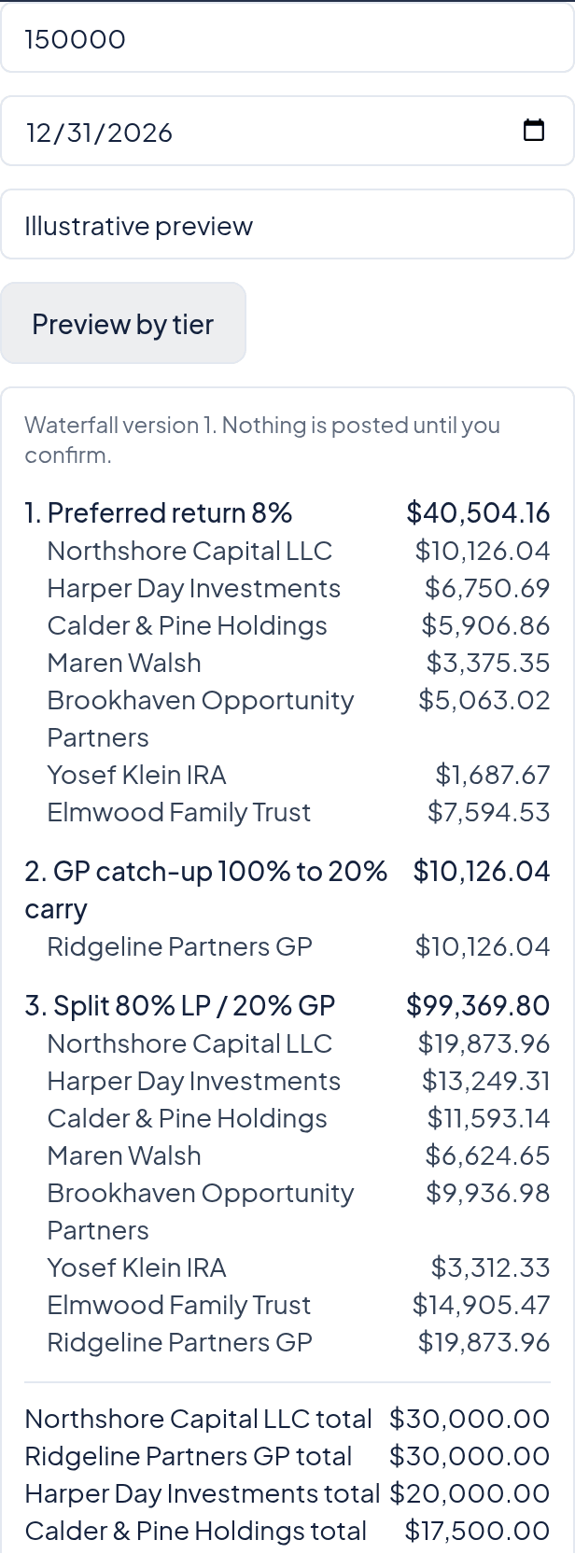
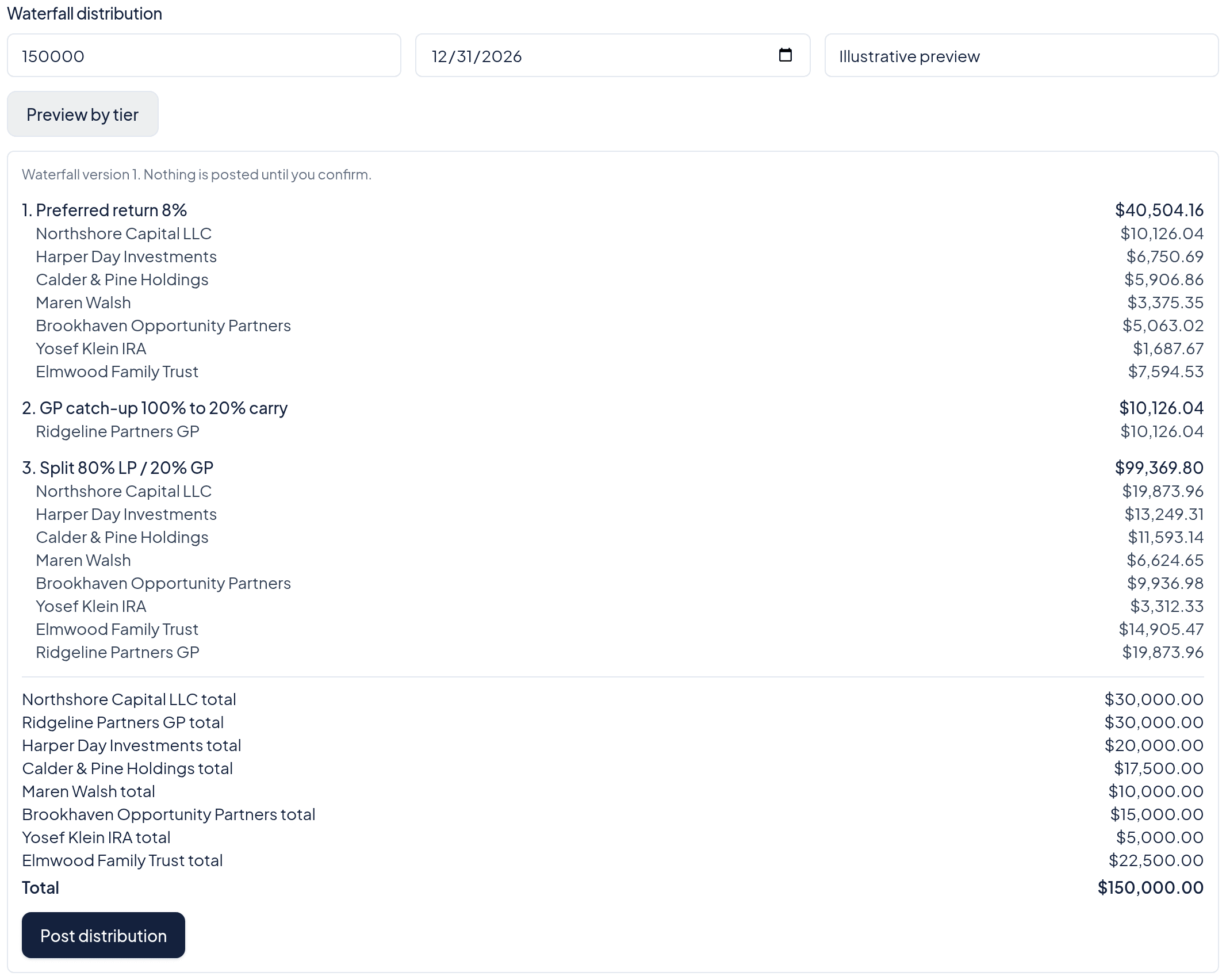
The sample pool uses an 8% preferred return, simple, actual/365. Then a GP catch-up of 100% until the GP has 20% of profit. Then an 80/20 split between investors and Ridgeline Partners GP.
The preview below distributes $150,000.00 dated 2026-12-15. Preferred return takes $32,087.72, GP catch-up $8,021.93, and the split $109,890.35. The total is $150,000.00.
AssetFlow is software. It is not a lender, loan servicer, investment adviser, broker, custodian, or money transmitter, and it never holds or moves money. Nothing here is tax, legal, or investment advice.